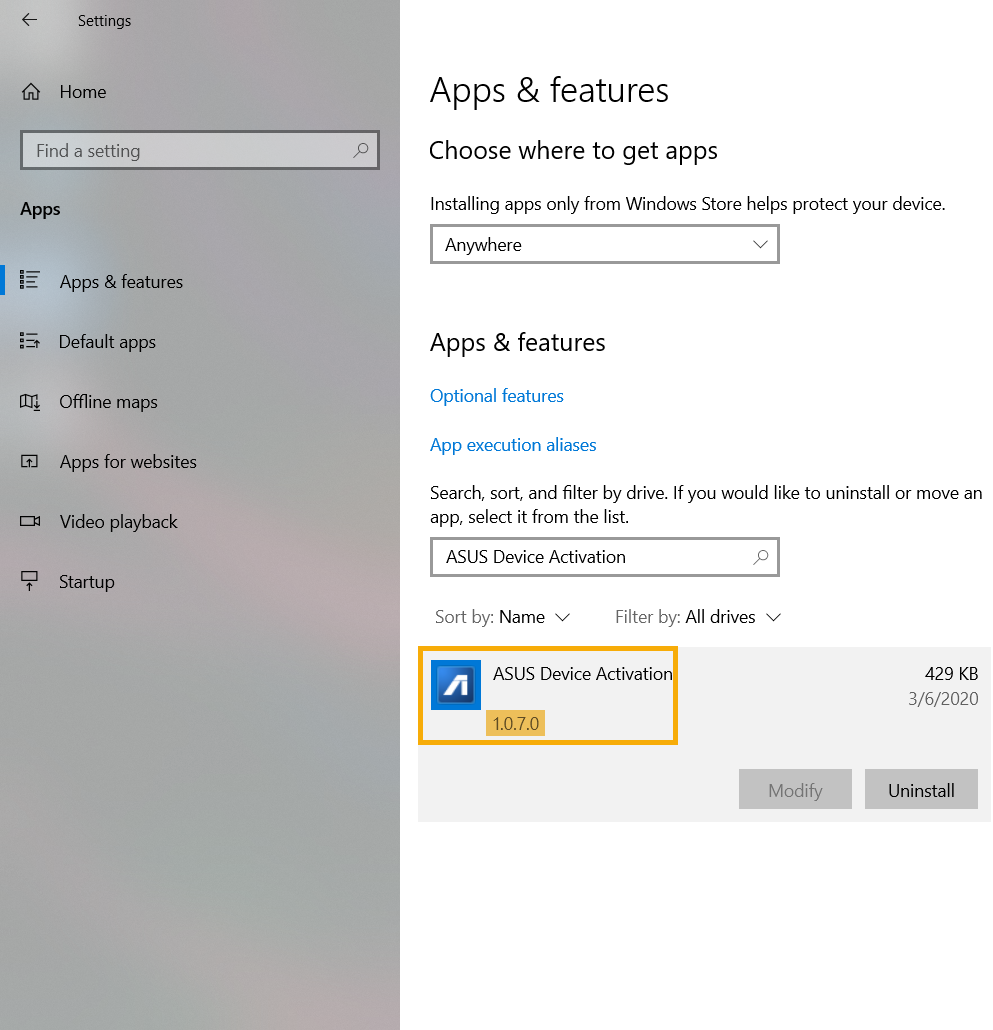
● วิธีการตรวจสอบเวอร์ชั่นของ ASUS Device Activation :
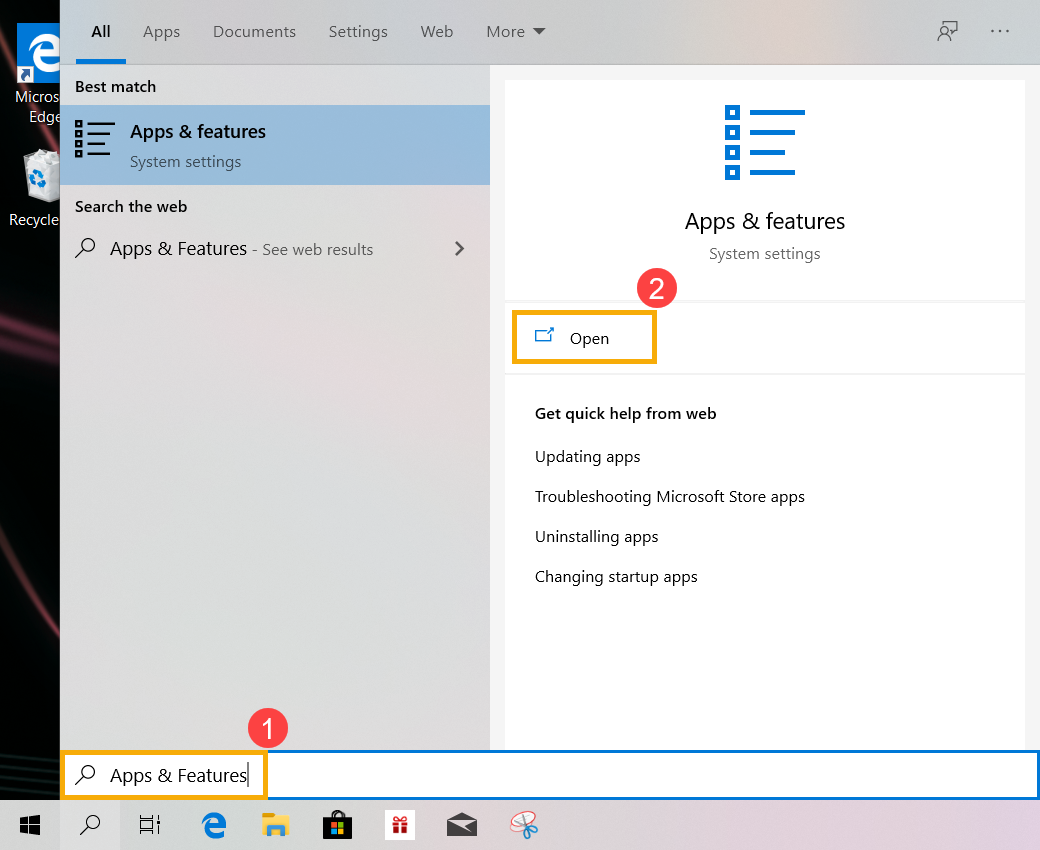
a. พิมพ์และค้นหา [Apps & features] ในหน้า Windows search bar(1), จากนั้นคลิกที่ [Open](2).
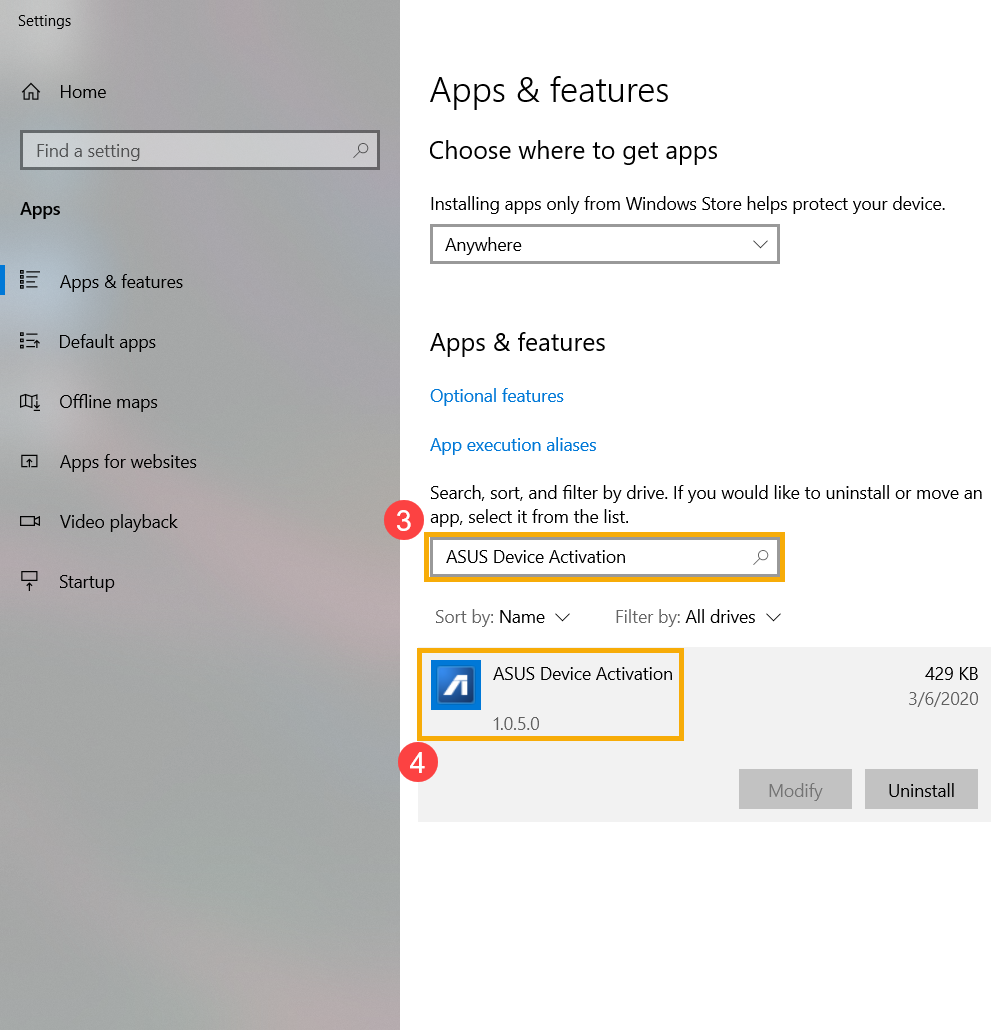
b. ทำการพิมพ์และค้นหา [ASUS Device Activation](3) ใน search bar, จากนั้นคลิกที่ ASUS Device Activation เพื่อให้คุณสามารถตรวจสอบว่าเป็นรุ่นอะไร(4).
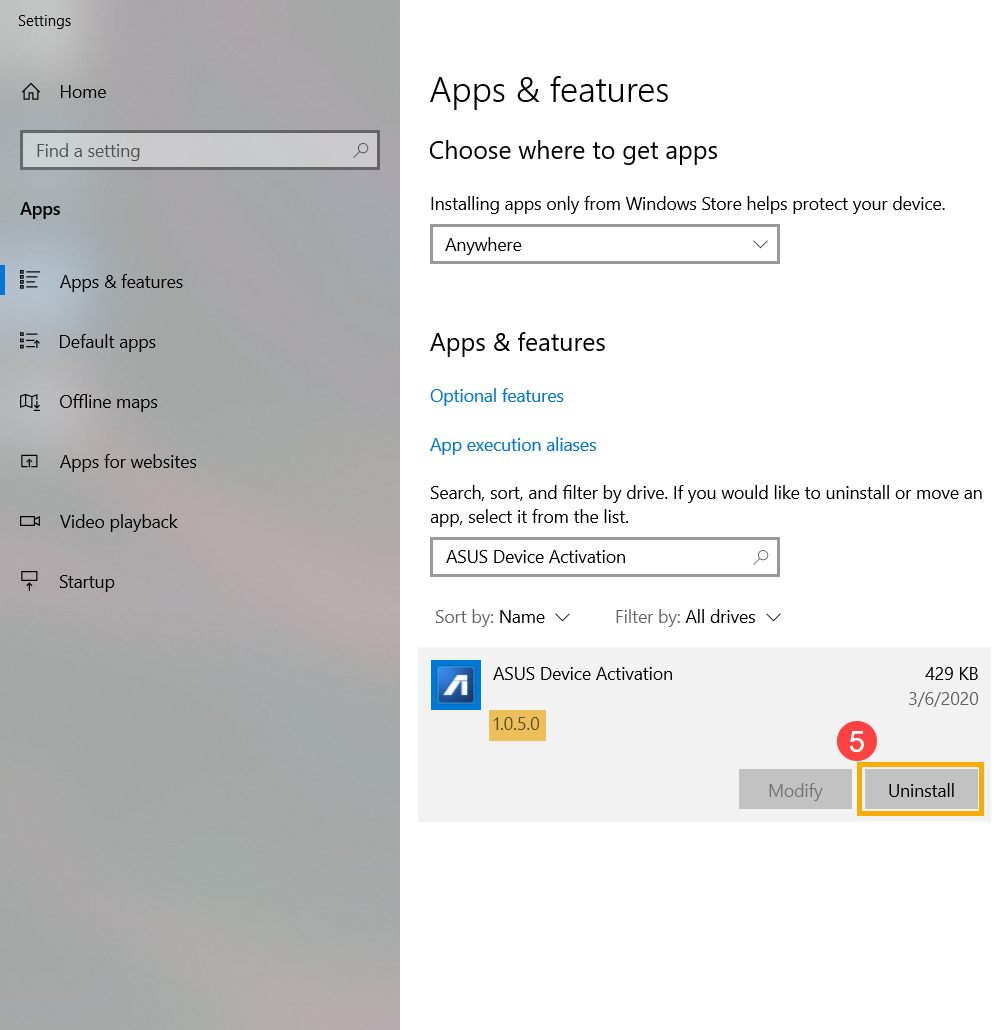
c. หากรุ่นและเวอร์ชั่นของ ASUS Device Activation ที่ติดตั้งเป็น รุ่นก่อน 1.0.7.0, ให้ทำการคลิกที่ [Uninstall](5) เพื่อทำการถอนการติดตั้งออก
● วิธีการอัพเดท ASUS Device Activation
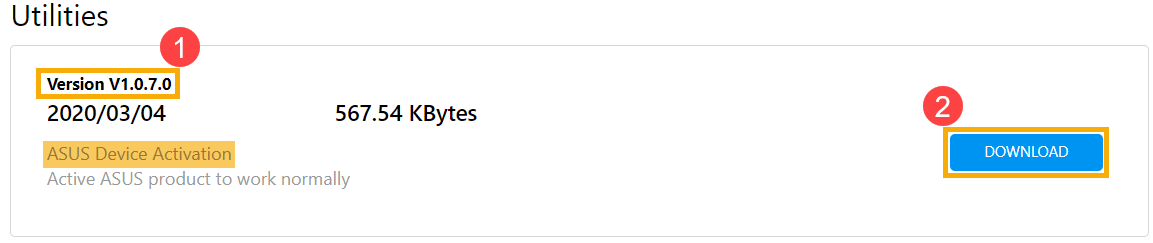
a. กรุณาไปที่ ASUS Support Site เพื่อทำการดาวน์โหลดและติดตั้งยูทิลิตี้ [ASUS Device Activation],เรียนรู้เพิ่มเติมเกี่ยวกับ วิธีการค้นหาและดาวน์โหลดไฟล์ยูทิลิตี้ (ภาพต่อไปนี้เป็นเวอร์ชั่นปัจจุบันเป็นข้อมูลอ้างอิง โปรดดาวน์โหลดเวอร์ชั่นล่าสุดจากเว็บไซต์สนับสนุนของ ASUS)
b. หลังจากที่ทำการติดตั้งเสร็จสิ้นแล้ว กรุณาทำการตรวจสอบครั้งว่าเป็นเวอร์ชั่นใหม่ล่าสุดแล้ว (1.0.7.0 or หรือเวอร์ชั่นที่ใหม่กว่า) ของ ASUS Device Activation นั้นติดตั้งอย่างถูกต้องแล้ว
Above information might be partly or entirely quoted from exterior websites or sources. please refer to the information based on the source that we noted. Please directly contact or inquire the sources if there is any further question and note that ASUS is neither relevant nor responsible for its content/service
This information may not suitable for all the products from the same category/series. Some of the screen shots and operations could be different from the software versions.
ASUS provides the above information for reference only. If you have any questions about the content, please contact the above product vendor directly. Please note that ASUS is not responsible for the content or service provided by the above product vendor.