How to install intel LGA4677 CPU and Heatsink?
Precautions before installation:
1. It is recommended to wear an antistatic wrist strap or touch a safe grounded object before handling components.
2. Please make sure to turn off the power before installing or removing the motherboard.
3. Whenever you remove any components, place them on a grounded antistatic mat or in the bag that came with the unit.
4. When handling parts, please hold the edge of the component, and do not touch the IC directly.
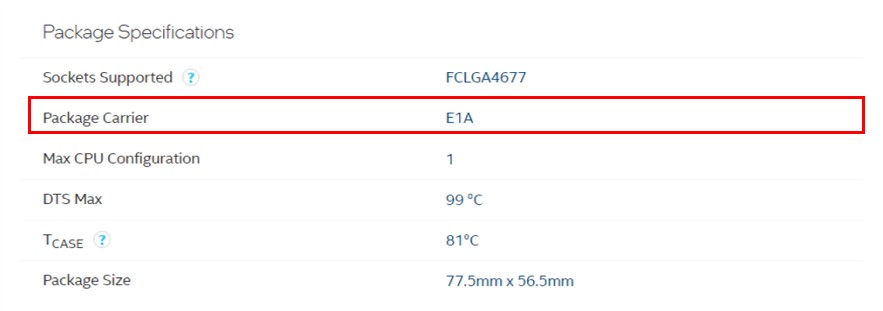
*Note: There are two models of this series of the CPU Carrier (E1A / E1B), please fix the specific CPU to the corresponding Carrier.
E1A : corresponding to intel CPU 112 lanes
E1B : Corresponding to intel CPU 64 Lanes
For intel CPU specifications, please go to the following link: https://ark.intel.com/
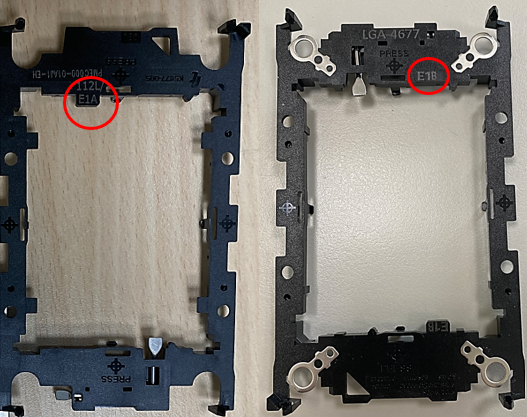
Exp:For intel CPU 112 Lanes, there will be a corresponding E1A for the CPU

Step 1: Place the removal lever in the same direction as the fan.
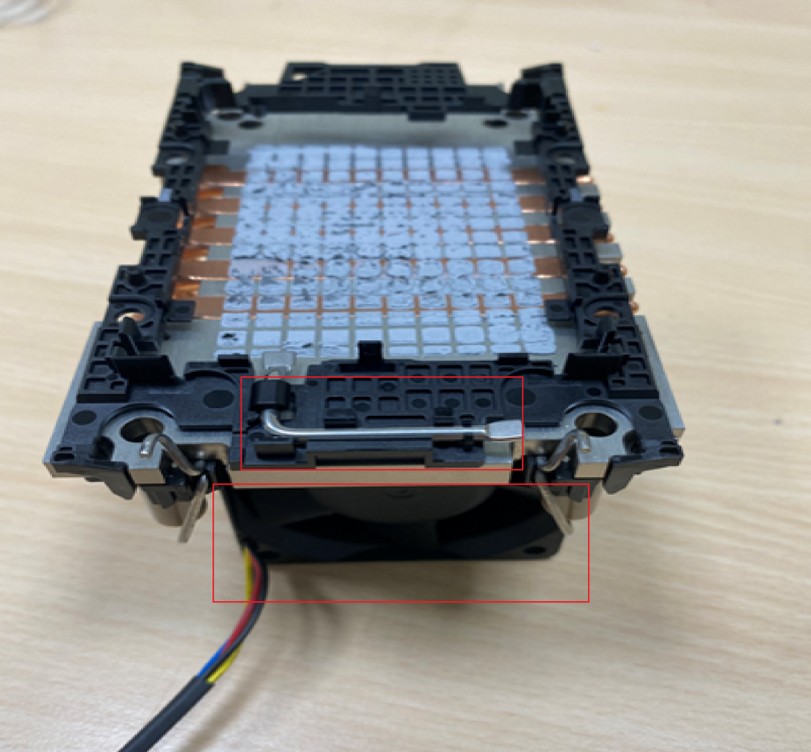
PS: Please install according to the cooling module purchased by the user
Step 2: Press down on the four corners of the carrier slightly to ensure that the carrier latches are correctly locked on the heatsink.
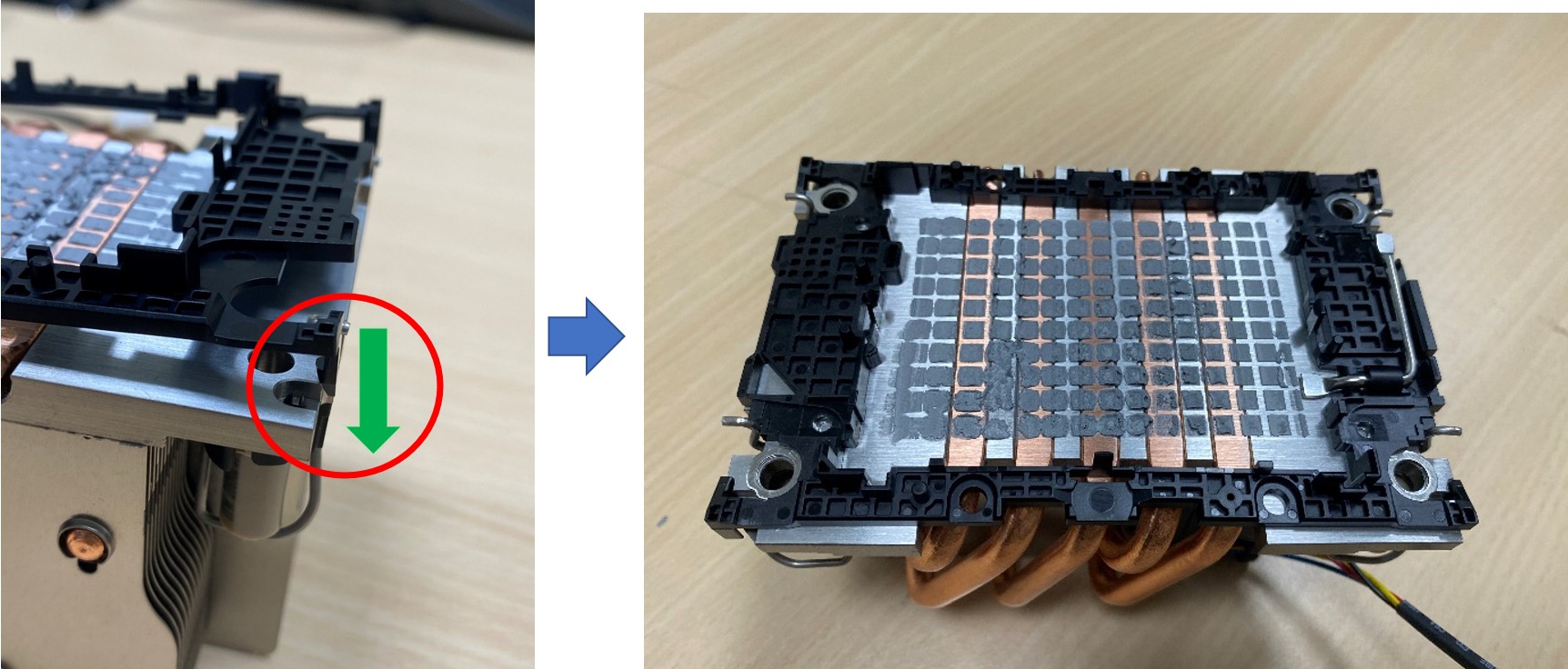
(Correct installation diagram)
Step 3: Insert the CPU into the upper slot first, then press down gently to install the CPU.
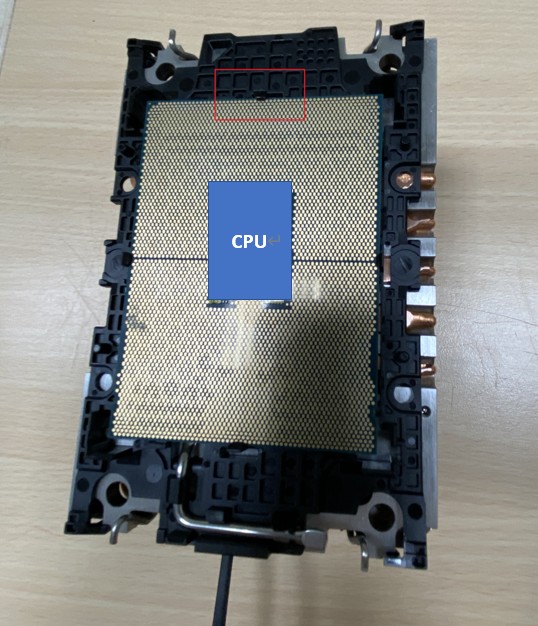
Step 4: Align the assembled CPU and heatsink with the holes on the motherboard, and press down on the four-corners.
This article takes Asus Pro WS W790-ACE as an example:
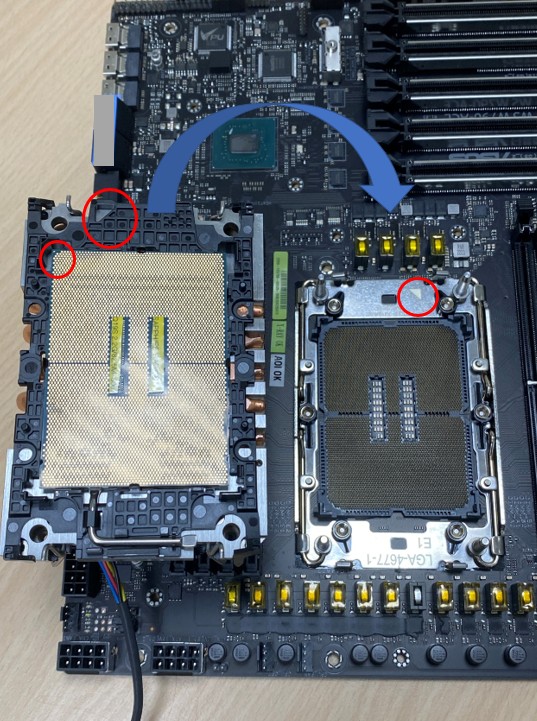
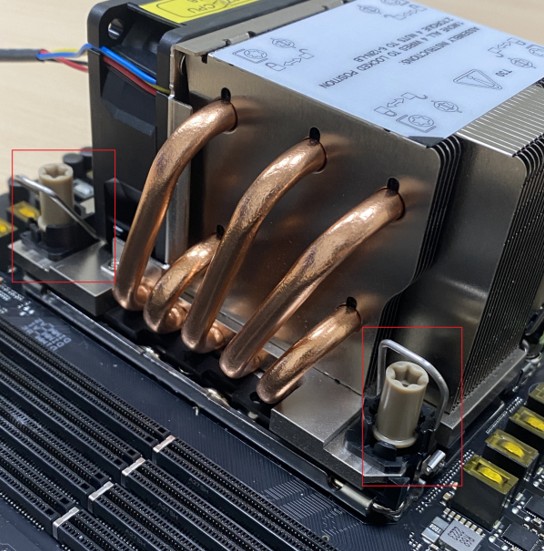
PS: Please refer to the cooling module of the user
Step 5: Use a screwdriver tool (T30x100mm) to tighten the screws to complete the installation.
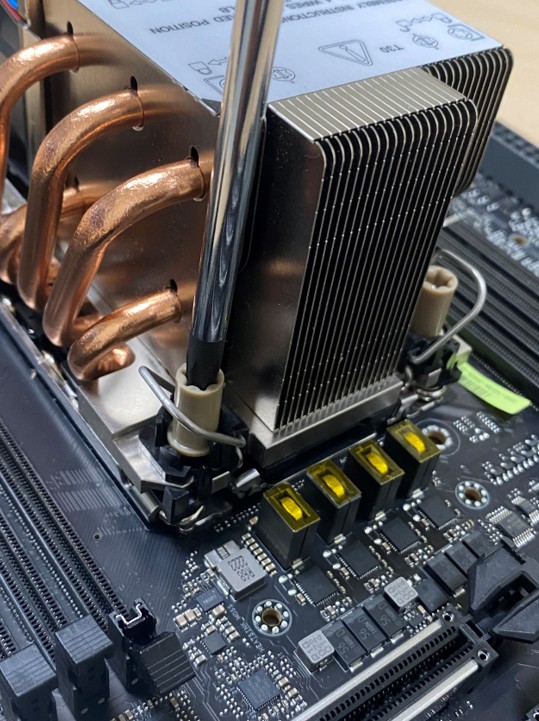
PS: Please lock the cooling module on the motherboard according to the user's individual heatsink.
Q&A
Q1. How to check the CPU specification of ASUS Pro WS W790-ACE motherboard? How to install the Carrier?
A1: Please refer to ASUS ASUS Pro WS W790-ACE support site:
Click the product -> select [Support] -> select [CPU/Memory Support]https://www.asus.com/motherboards-components/motherboards/workstation/pro-ws-w790-ace/helpdesk_qvl_cpu/?model2Name=Pro-WS-W790-ACE


Enter the corresponding CPU No. into the following Intel website for query, and you can know the CPU specification and corresponding carrier.
https://ark.intel.com/ (Example: CPU W9-3495x )