Product
ROG Phone 7 (AI2205), ROG Phone 7 Pro (AI2205), ROG Phone 7 Ultimate (AI2205), Zenfone 10 (AI2302)
[Phone] How do I take auto long screenshots?
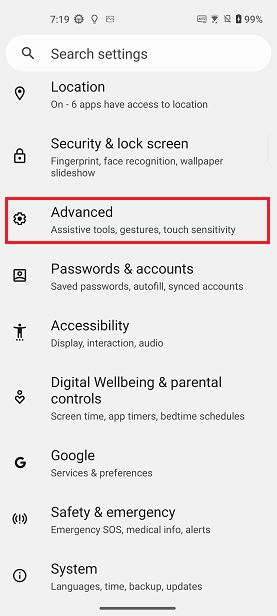
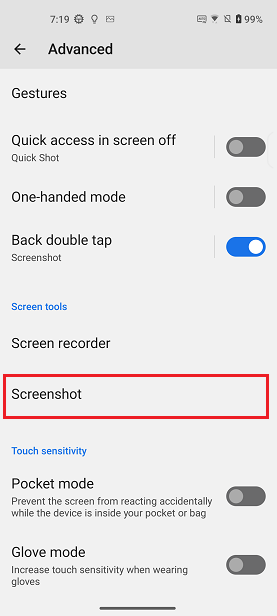
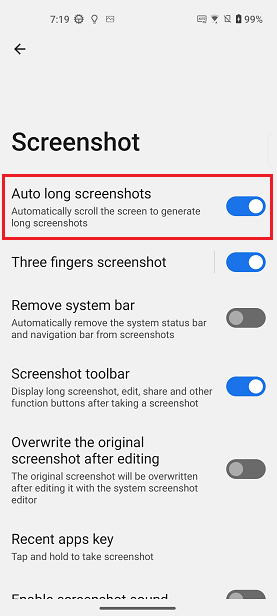
Swipe down from the top of the screen to access Quick Settings > Tap the Settings icon > Advanced > Screenshot > Set the Auto long screenshots toggle to the On position.

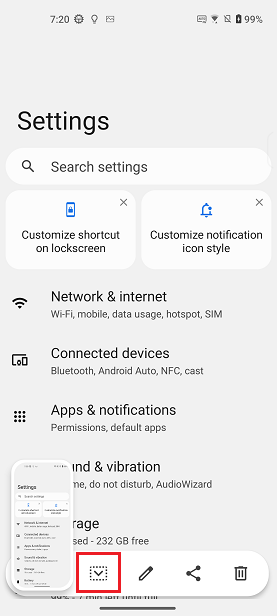
When you're taking a screenshot, tap the arrow down button that displays on the floating toolbar, and the screen will scroll down. You can touch anywhere on the screen to stop the automatic long screenshot.