[Phone] How to manage the status bar icons?
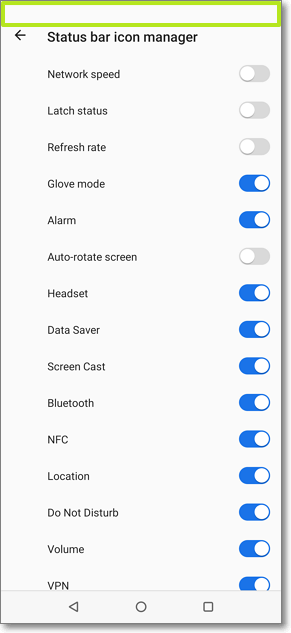
Please follow the steps below to enable/disable the status bar icons:
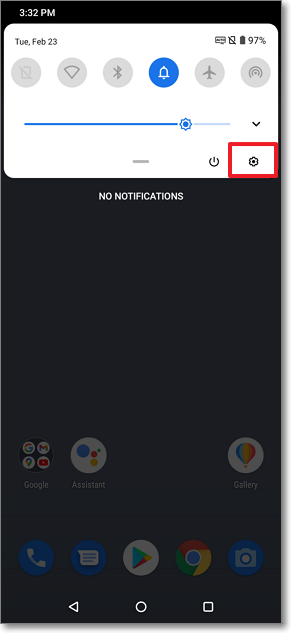
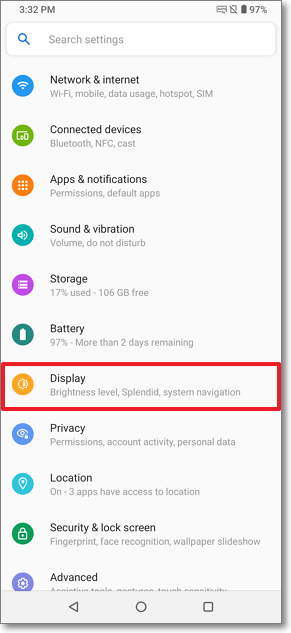
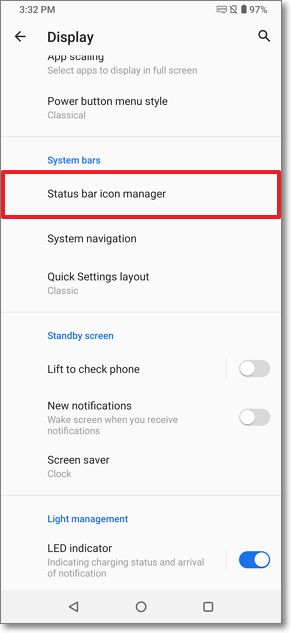
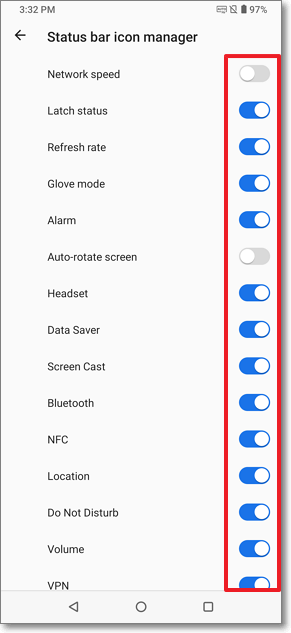
Scrolling down the Quick Menu from the top of the screen, tap the Settings icon > "Display" > "Status bar icon manager" and then you can enable or disable the icons on the status bar.
* The content may not be applicable to all ASUS phone product series, and the operation steps will vary depending on the phone models and Android versions.