[Notebook] Hoe kan ik Intel® Virtualization Technology (VT-x) in- of uitschakelen?
Met een VT-x ondersteunde Intel®-processor en een VT-x ondersteunde BIOS, kan VT-x worden in- of uitgeschakeld in BIOS. (De standaardwaarde van dit item is Ingeschakeld in BIOS)
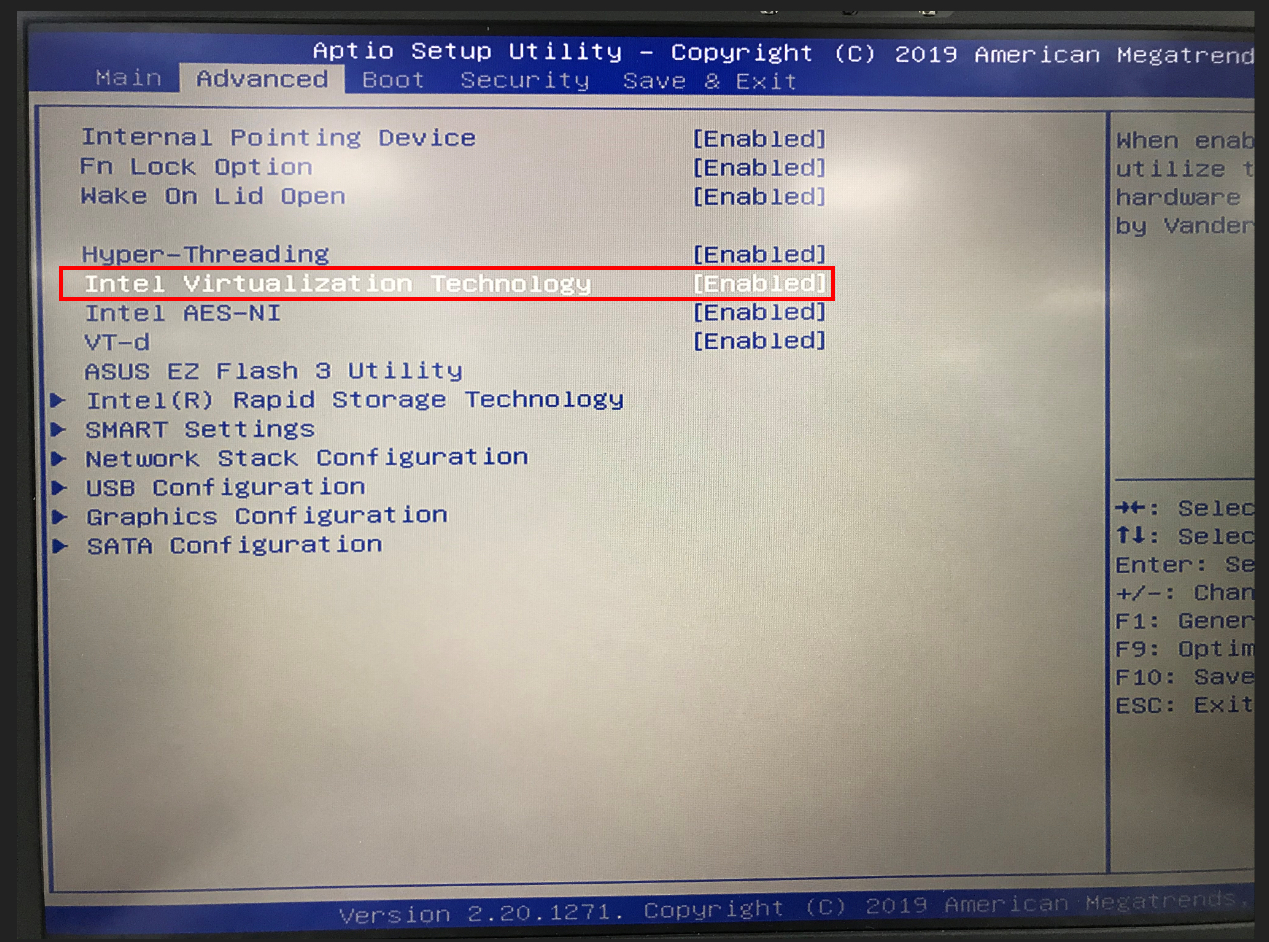
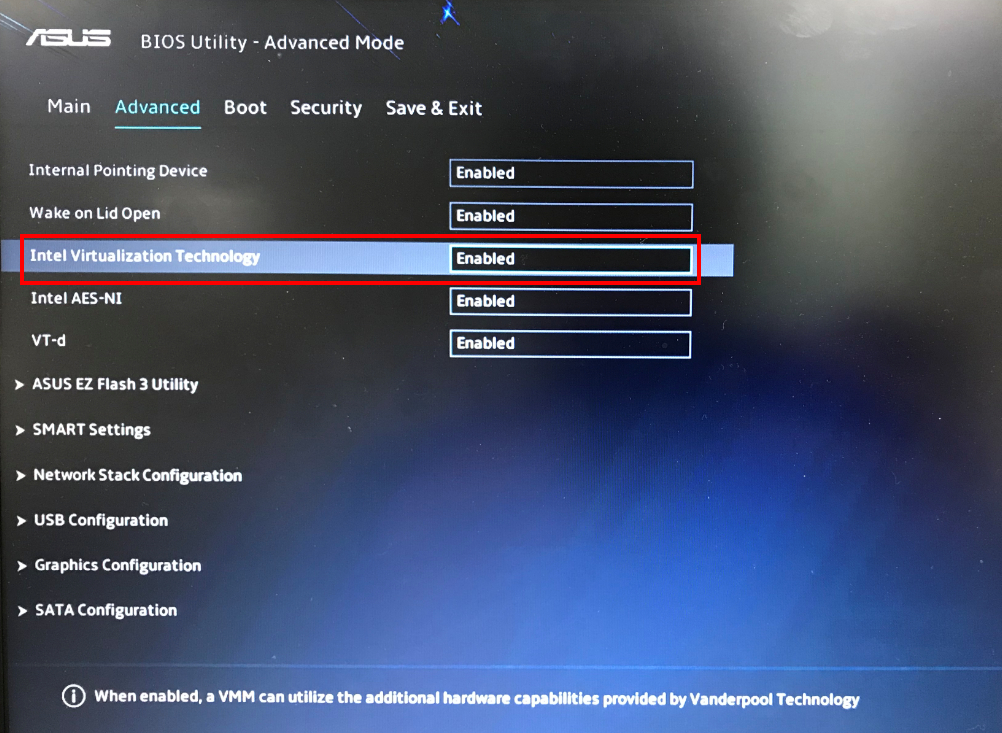
Klik hier voor informatie over het openen van het BIOS-instellingenmenu.
Hoe weet ik of Intel® Virtualization Technology (VT-x) is ingeschakeld of uitgeschakeld in mijn systeem?
U kunt het Intel® Processor Identification Utility gebruiken om te controleren of uw systeem Intel® Virtualization Technology kan ondersteunen.
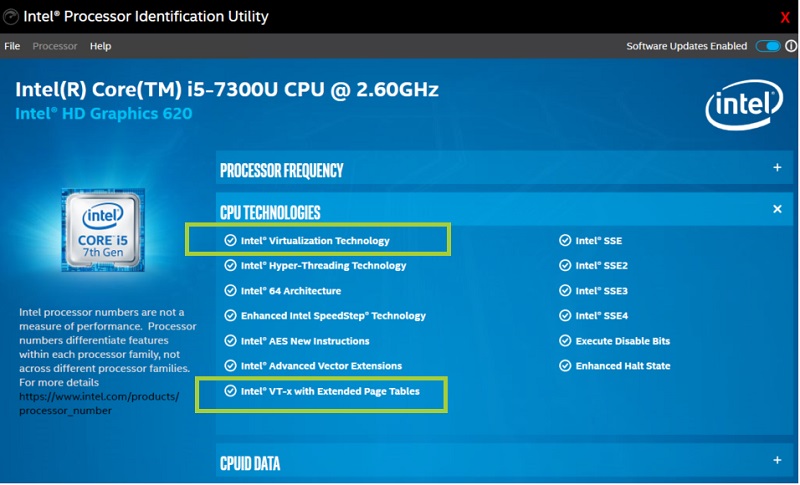
Gebruik deze tool en selecteer het tabblad CPU-technologieën. Controleer of de Intel® Virtualization Technology-opties zijn aangevinkt of niet.
Hier is een voorbeeld om te laten zien dat de Intel®-virtualisatie beschikbaar is.
Hier is een voorbeeld om te laten zien dat de Intel®-virtualisatie niet beschikbaar is.
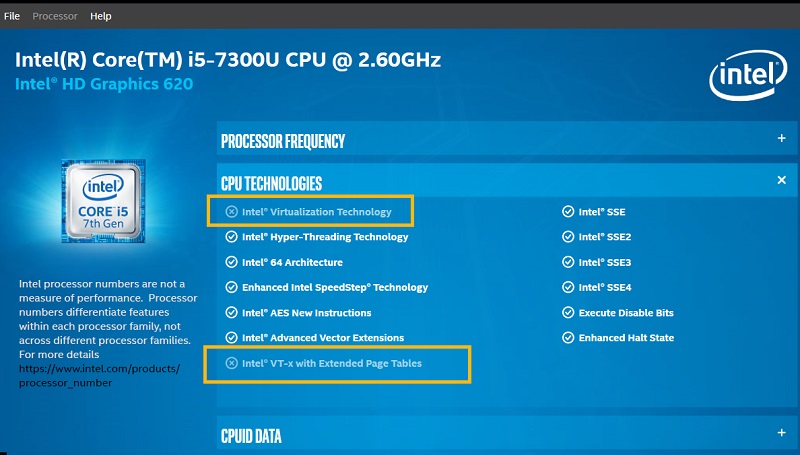
Als Intel® Virtualization Technology niet is aangevinkt in de tool, kan uw processor mogelijk nog wel Intel® Virtualization Technology ondersteunen omdat deze al wordt gebruikt door andere software die een Hypervisor gebruikt.
In dat geval kunt u ook de Taakbeheer gebruiken om de situatie te verifiëren.
Hier is een voorbeeld om te laten zien dat Intel® Virtualization is ingeschakeld met Taakbeheer:
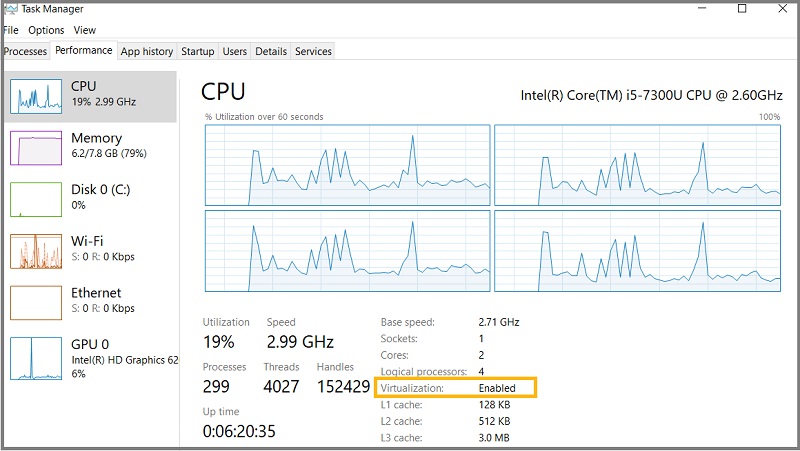
In de onderstaande tabel kunt u controleren of uw processor Intel® Virtualization ondersteunt en of deze is uitgeschakeld, en u kunt de aanvullende informatie vinden.
| Intel® Processor Identification Utility | Taakbeheer | Waarneming |
| Intel® Virtualization Checked | Virtualization is Enabled | Intel® Virtualization is enabled and it is available to use. |
| Intel® Virtualization Checked | Virtualization is Disabled | Intel® Virtualization is disabled in BIOS. |
| Intel® Virtualization not Checked | Virtualization is Enabled | Intel® Virtualization is enabled but it is used by some other software on the machine. |
| Intel® Virtualization not Checked | Virtualization is Disabled | Intel® Virtualization is not supported by the processor. |
De meeste van bovenstaande informatie is afkomstig van de officiële website van Intel. U kunt ook de onderstaande link raadplegen voor meer informatie:
https://www.intel.com/content/www/us/en/support/articles/000005486/processors.html