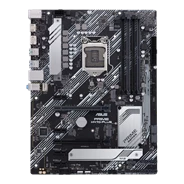
PRIME H470-PLUS
Product Support For
PRIME H470-PLUSFind Another Model
By registering your device, you can easily manage your product warranty, get technical support and keep track of your repair status.
Upgrade Warranty: Here.
* Please note that the availability of the Premium Care product lines might differ by country.
Register Product
  • CPU / Memory Support
  • FAQ
  • Manual & Document
  • Warranty
  • More Service

BIOS & FIRMWARE

  • Driver & Tools
  • BIOS & FIRMWARE

BIOS
Version 1806
Beta Version
8.06 MB
2026/01/15
SHA-256 :193798FE8771D0B3D68A8AAEECF48C38D497ED9349D7298594395FE24731E163

"1. Update Intel microcode
2. Improved system performance, stability, and device compatibility.
3. Implemented security updates."

DOWNLOAD
SHOW MORE DESCRIPTION
PRIME H470-PLUS BIOS 1620
Version 1620
8.06 MB
2021/08/05

Support Windows 11 by default, no settings changes required in the UEFI BIOS.

DOWNLOAD
SHOW MORE DESCRIPTION
PRIME H470-PLUS BIOS 1610
Version 1610
8.04 MB
2021/06/04

Repair some known issues for Aura Sync

DOWNLOAD
SHOW MORE DESCRIPTION
PRIME H470-PLUS BIOS 1602
Version 1602
8.05 MB
2021/01/15

"Improve system performance and stability
Improve ReSizable BAR compatibility for NVIDIA RTX30 series graphics cards"

DOWNLOAD
SHOW MORE DESCRIPTION
PRIME H470-PLUS BIOS 1601
Version 1601
Beta Version
8.05 MB
2020/11/30

Offer a Re-size BAR Support option to enhance GPU performance.

DOWNLOAD
SHOW MORE DESCRIPTION
PRIME H470-PLUS BIOS 1410
Version 1410
8.02 MB
2020/11/23

Fixed an issue where the memory vendor name could not be displayed correctly

DOWNLOAD
SHOW MORE DESCRIPTION
PRIME H470-PLUS BIOS 1209
Version 1209
7.94 MB
2020/08/24

Improve system’s compatibility

DOWNLOAD
SHOW MORE DESCRIPTION
PRIME H470-PLUS BIOS 0806
Version 0806
7.79 MB
2020/06/11

Improve system performance

DOWNLOAD
SHOW MORE DESCRIPTION
PRIME H470-PLUS BIOS 0602
Version 0602
7.81 MB
2020/04/13

Improve system stability

DOWNLOAD
SHOW MORE DESCRIPTION
PRIME H470-PLUS BIOS 0325
Version 0325
7.83 MB
2020/03/27

DOWNLOAD
SHOW MORE DESCRIPTION
Show all
Intel ME
MEUpdateTool
Version 14.0.45.1389V2.1
5.34 MB
2020/11/12

Intel has identified security issue that could potentially place impacted platform at risk.
Use ME Update tool to update your ME.
*We suggest you update ME Driver to the latest Version 14.0.45.1389V2.1 simultaneously.
Please download the file and check the MD5 code first.
MD5: 010ebfd94977a4aea551fc79a9b892e2

DOWNLOAD
SHOW MORE DESCRIPTION
MEUpdateTool
Version 14.0.33.1125
5.29 MB
2020/05/07

Intel has identified security issue that could potentially place impacted platform at risk.
Use ME Update tool to update your ME.
*We suggest you update ME Driver to the latest Version 14.0.33.1125 simultaneously.
Please download the file and check the MD5 code first.
MD5: 80452af72868a6ff7a1fac5766511a34

DOWNLOAD
SHOW MORE DESCRIPTION
Show all
Product has High-Definition Multimedia Interface.
  • Products certified by the Federal Communications Commission and Industry Canada will be distributed in the United States and Canada. Please visit the ASUS USA and ASUS Canada websites for information about locally available products.
  • All specifications are subject to change without notice. Please check with your supplier for exact offers. Products may not be available in all markets.
  • Specifications and features vary by model, and all images are illustrative. Please refer to specification pages for full details.
  • PCB color and bundled software versions are subject to change without notice.
  • Brand and product names mentioned are trademarks of their respective companies.
  • The terms HDMI and HDMI High-Definition Multimedia Interface, HDMI trade dress and the HDMI Logos are trademarks or registered trademarks of HDMI Licensing Administrator, Inc. in the United States and other countries.
    • Specifications and features vary by model, and all images are illustrative. Please refer specification pages for full details.
    • *Precise specifications and features vary by model. Please refer to the specification page
    • The product (electrical, electronic equipment, Mercury-containing button cell battery) should not be placed in municipal waste. Check local regulations for disposal of electronic products.
    • The use of trademark symbol (TM, ®) appears on this website means that the word text, trademarks, logos or slogans, is being used as trademark under common laws protection and/or registered as Trademark in U.S. and/or other country/region.
    • Learn more about battery usage, removal, replacement, and related safety guidelines

         **Product specifications and battery design may vary depending on the model. For any questions, please contact ASUS official customer service.